|
|
|
Automotive Aftermarket Electronic Catalogues |
|
|
|
Automotive Aftermarket Electronic Catalogues |
Vehicle Search Screens
|
1. Standard Search |
|
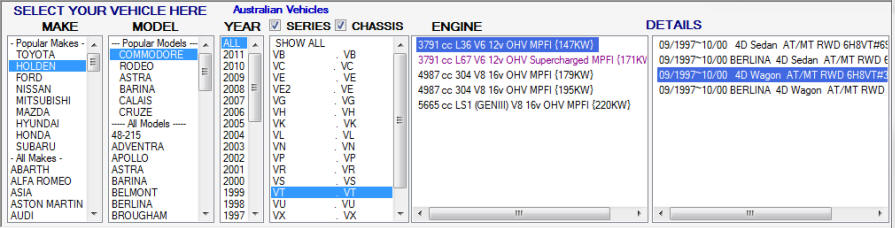
The 'Standard Search' works by selecting values in lists. As you select a line in
each list the next list will be filled with the available options for that selection.
If there is only one option available that line will automatically be selected and
the next list will be filled. Once a line is selected in the 'Details' list,
the 'Vehicle
Information Section' will be filled in and if a 'Part Type' has been selected the 'Parts
Section' will display all available parts for that part type for
the selected vehicle. |
|
|
|
2. Search Modification |
|
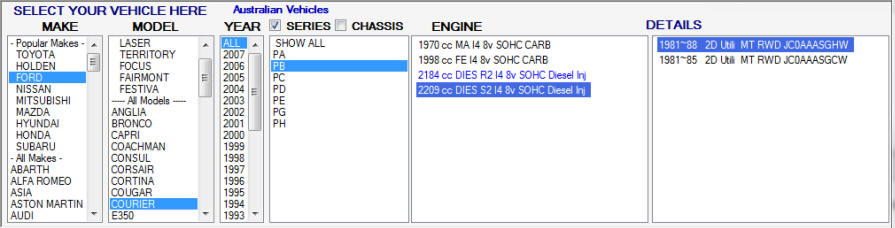
The 'Chassis & Series' attributes of a model may be less relevant with some particular makes of vehicle, you can deselect either item by using the tick boxes above. . This will prove more granular than selecting 'Show All' which simply moves you on to the next section without narrowing down the list of available attributes
|
|
With Chassis Selected
|
|
Without Chassis Selected
Please click here to learn more about other search options. |
|
© 2010 Autoinfo PTY Ltd |